

Accessories
Corner Radius Templates
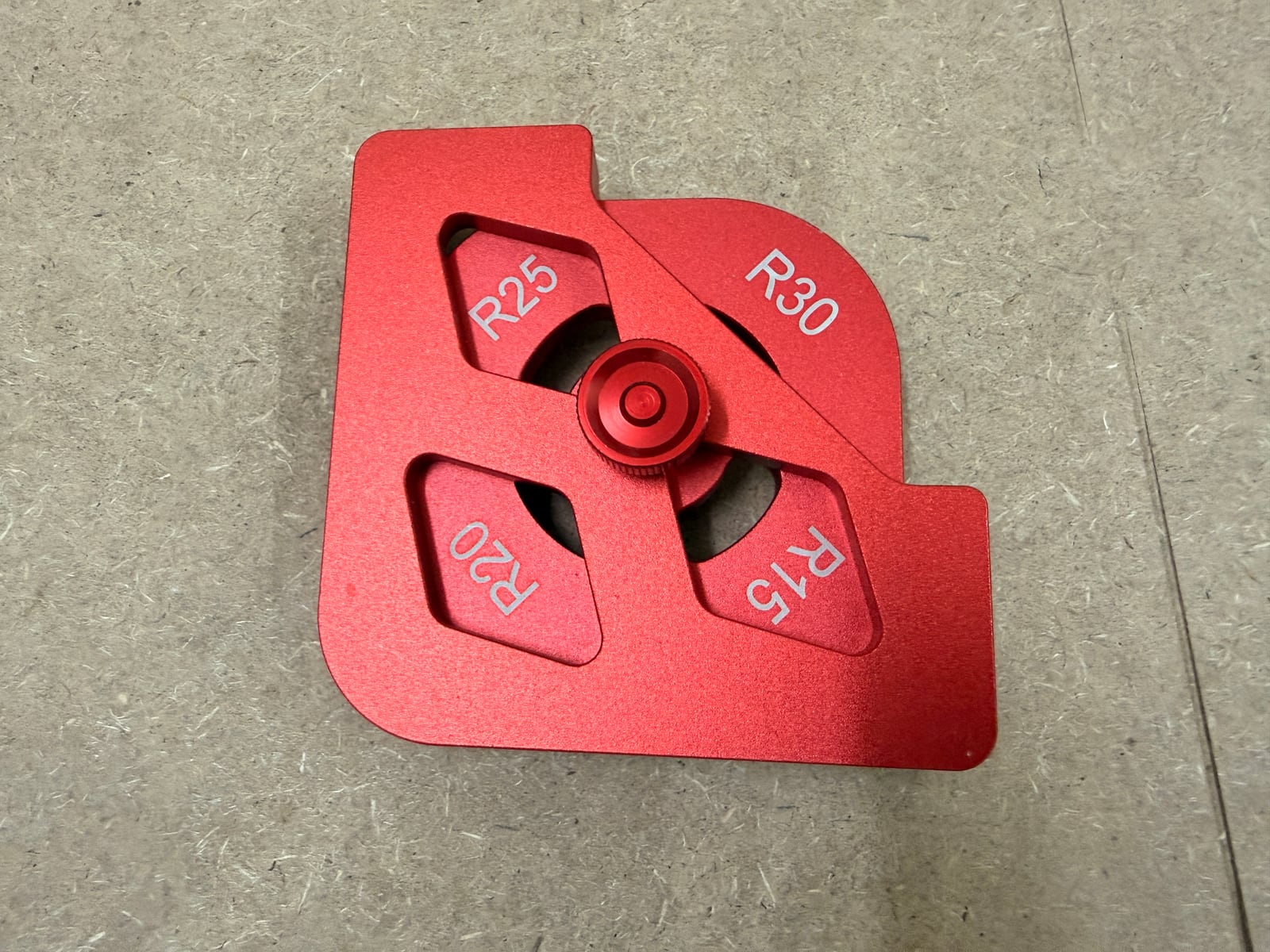
A corner radius template is a flat plate with one or more accurately cut concave corners in it. Clamp it to the corner of a workpiece, run a bearing-guided bit around it, and you get exactly that radius. The multi-radius versions carry several sizes on one body, selected by rotating or flipping it.
Why not just sand it round
You can, and for one corner on a shop jig you should. The problem is consistency. A tabletop has four corners, and the eye is extremely good at spotting that one of them is a slightly different curve from the other three -- especially once a finish goes on and the highlight runs round the edge. Sanding four matching radii by hand is genuinely hard; routing them off a template is trivial.
The other argument is repeatability across parts. Six drawer fronts with the same corner radius look like a set. Six that are close look like a mistake.
Using one
- Bearing-guided bit, riding the template. A flush trim bit with a top bearing is the usual choice; the bearing follows the template's curve and the cutter copies it into the work.
- Clamp it properly. These are small plates and there is not much surface to hold. A template that shifts halfway round the curve leaves a step you cannot sand out.
- Cut most of the waste off first with a bandsaw or jigsaw. Asking the router to hog off the full corner in one pass burns the bit, tears the grain and can grab.
- Climb-cut the last whisper on figured or brittle stock if the grain is tearing -- carefully, and only a light pass.
- Radius, not diameter. R20 is a 20mm radius, a 40mm diameter curve. Templates are marked in radius; check whether your drawing is.
Distinct from a round-over, which softens the edge profile in the vertical plane. A radius template shapes the corner in plan. Most parts want both: radius the corner, then round over the edges.
Images
Product: A corner radius template with four radii (R15, R20, R25, R30) selectable by rotating the body.